Note
Go to the end to download the full example code.
01.a. Acquisition operators (basic)
This tutorial shows how to simulate measurements using the spyrit.core.meas submodule.
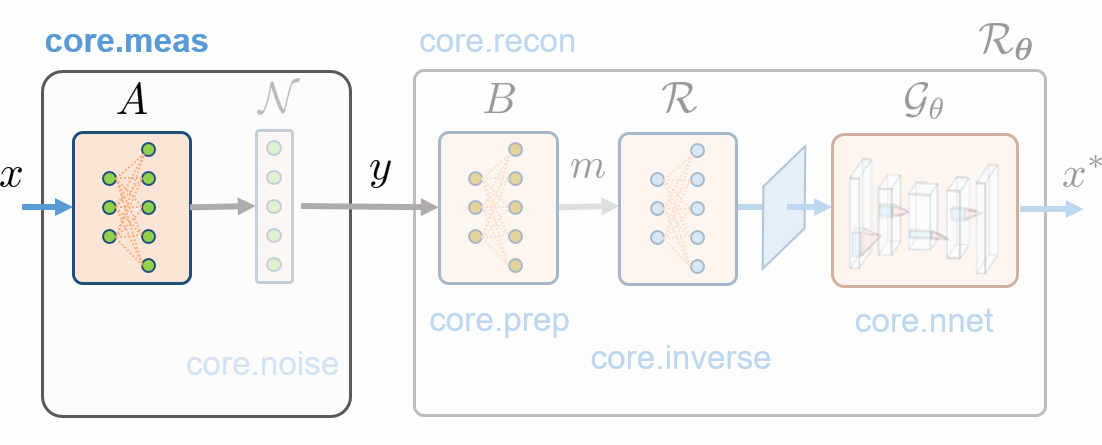
All simulations are based on spyrit.core.meas.Linear base class that simulates linear measurements
where \(H\in\mathbb{R}^{M\times N}\) is the acquisition matrix, \(x \in \mathbb{R}^N\) is the signal of interest, \(M\) is the number of measurements, and \(N\) is the dimension of the signal.
Important
The vector \(x \in \mathbb{R}^N\) represents a multi-dimensional array (e.g, an image \(X \in \mathbb{R}^{N_1 \times N_2}\) with \(N = N_1 \times N_2\)). Both variables are related through vectorization , i.e., \(x = \texttt{vec}(X)\).
1D Measurements
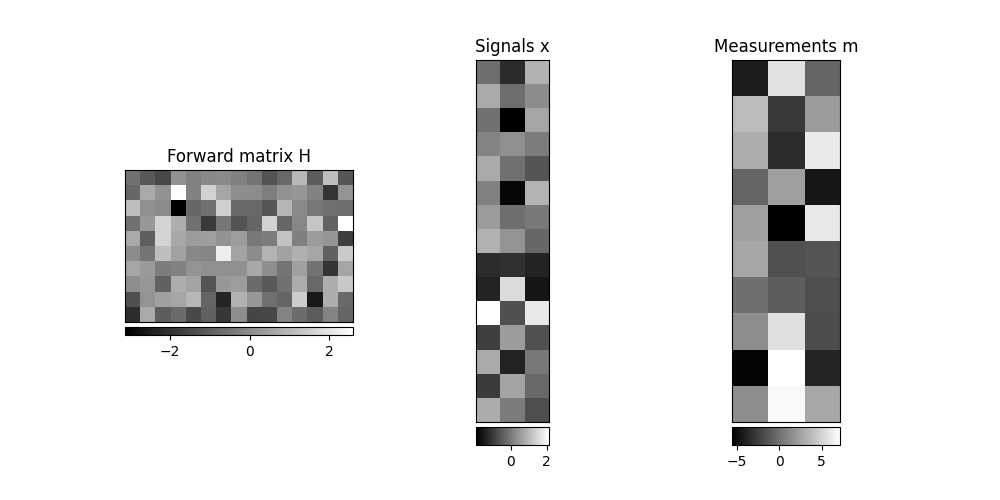
We instantiate a measurement operator from a matrix of shape (10, 15).
We consider 3 signals of length 15
x = torch.randn(3, 15)
We apply the operator to the batch of images, which produces 3 measurements of length 10
m = meas_op(x)
print(m.shape)
torch.Size([3, 10])
We now plot the matrix-vector products
from spyrit.misc.disp import add_colorbar, noaxis
import matplotlib.pyplot as plt

f, axs = plt.subplots(1, 3, figsize=(10, 5))
axs[0].set_title("Forward matrix H")
im = axs[0].imshow(H, cmap="gray")
add_colorbar(im, "bottom")

axs[1].set_title("Signals x")
im = axs[1].imshow(x.T, cmap="gray")
add_colorbar(im, "bottom")

axs[2].set_title("Measurements m")
im = axs[2].imshow(m.T, cmap="gray")
add_colorbar(im, "bottom")

noaxis(axs)
# sphinx_gallery_thumbnail_number = 1
/home/docs/checkouts/readthedocs.org/user_builds/spyrit/envs/3.1.1/lib/python3.11/site-packages/matplotlib/cbook.py:684: DeprecationWarning: __array__ implementation doesn't accept a copy keyword, so passing copy=False failed. __array__ must implement 'dtype' and 'copy' keyword arguments. To learn more, see the migration guide https://numpy.org/devdocs/numpy_2_0_migration_guide.html#adapting-to-changes-in-the-copy-keyword
  x = np.array(x, subok=True, copy=copy)
/home/docs/checkouts/readthedocs.org/user_builds/spyrit/envs/3.1.1/lib/python3.11/site-packages/matplotlib/cbook.py:684: DeprecationWarning: __array__ implementation doesn't accept a copy keyword, so passing copy=False failed. __array__ must implement 'dtype' and 'copy' keyword arguments. To learn more, see the migration guide https://numpy.org/devdocs/numpy_2_0_migration_guide.html#adapting-to-changes-in-the-copy-keyword
  x = np.array(x, subok=True, copy=copy)
/home/docs/checkouts/readthedocs.org/user_builds/spyrit/envs/3.1.1/lib/python3.11/site-packages/matplotlib/cbook.py:684: DeprecationWarning: __array__ implementation doesn't accept a copy keyword, so passing copy=False failed. __array__ must implement 'dtype' and 'copy' keyword arguments. To learn more, see the migration guide https://numpy.org/devdocs/numpy_2_0_migration_guide.html#adapting-to-changes-in-the-copy-keyword
  x = np.array(x, subok=True, copy=copy)
2D Measurements
We load a batch of images from the /images/ folder. Using the
transform_gray_norm() function with the normalize=False
argument returns images with values in (0,1).
import os
import torchvision
from spyrit.misc.statistics import transform_gray_norm

spyritPath = os.getcwd()
imgs_path = os.path.join(spyritPath, "images/")

# Grayscale images of size (32, 32), no normalization to keep values in (0,1)
transform = transform_gray_norm(img_size=32, normalize=False)

# Create dataset and loader (expects class folder :attr:'images/test/')
dataset = torchvision.datasets.ImageFolder(root=imgs_path, transform=transform)
dataloader = torch.utils.data.DataLoader(dataset, batch_size=7)

x, _ = next(iter(dataloader))
We crop the batch to get image of shape (9, 25).
x = x[:, :, :9, :25]
print(f"Shape of input images: {x.shape}")
Shape of input images: torch.Size([7, 1, 9, 25])
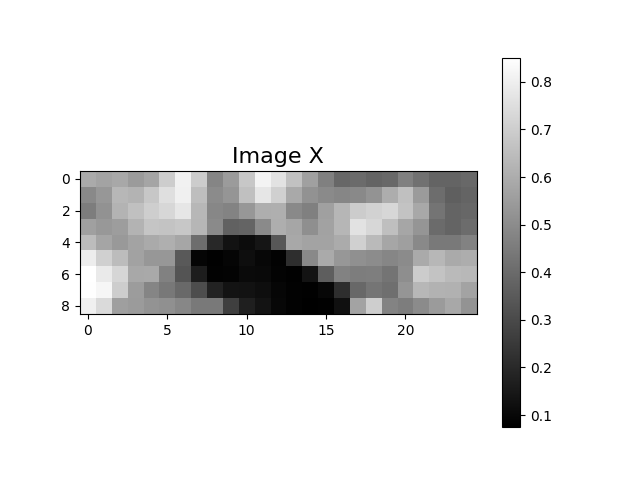
We plot the second image.
/home/docs/checkouts/readthedocs.org/user_builds/spyrit/envs/3.1.1/lib/python3.11/site-packages/matplotlib/cbook.py:684: DeprecationWarning: __array__ implementation doesn't accept a copy keyword, so passing copy=False failed. __array__ must implement 'dtype' and 'copy' keyword arguments. To learn more, see the migration guide https://numpy.org/devdocs/numpy_2_0_migration_guide.html#adapting-to-changes-in-the-copy-keyword
  x = np.array(x, subok=True, copy=copy)
We instantiate a measurement operator from a random matrix with shape (10, 9*25). To indicate that the operator works in 2D, we use the meas_shape argument.
We apply the operator to the batch of images, which produces a batch of measurement vectors of length 10.
m = meas_op(x)
print(m.shape)
torch.Size([7, 1, 10])
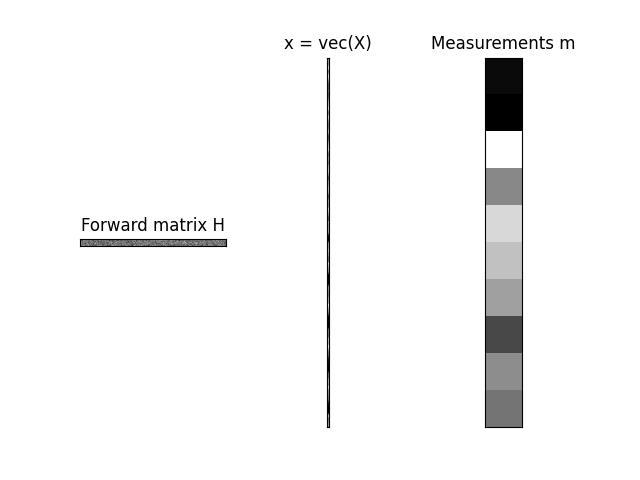
We now plot the matrix-vector products corresponding to the second image in the batch.
We first select the second image and the second measurement vector in the batch.
x_plot = x[1, 0, :, :]
m_plot = m[1]
Then we vectorize the image to get a 1D array of length 9*25.
x_plot = x_plot.reshape(1, -1)

print(f"Vectorised image with shape: {x_plot.shape}")
Vectorised image with shape: torch.Size([1, 225])
We finally plot the matrix-vector products \(m = H x = H \texttt{vec}(X)\).
from spyrit.misc.disp import add_colorbar, noaxis
import matplotlib.pyplot as plt

f, axs = plt.subplots(1, 3)
axs[0].set_title("Forward matrix H")
im = axs[0].imshow(H, cmap="gray")
# add_colorbar(im, "bottom")

axs[1].set_title("x = vec(X)")
im = axs[1].imshow(x_plot.mT, cmap="gray")
# add_colorbar(im, "bottom")

axs[2].set_title("Measurements m")
im = axs[2].imshow(m_plot.mT, cmap="gray")
# add_colorbar(im, "bottom")

noaxis(axs)
/home/docs/checkouts/readthedocs.org/user_builds/spyrit/envs/3.1.1/lib/python3.11/site-packages/matplotlib/cbook.py:684: DeprecationWarning: __array__ implementation doesn't accept a copy keyword, so passing copy=False failed. __array__ must implement 'dtype' and 'copy' keyword arguments. To learn more, see the migration guide https://numpy.org/devdocs/numpy_2_0_migration_guide.html#adapting-to-changes-in-the-copy-keyword
  x = np.array(x, subok=True, copy=copy)
/home/docs/checkouts/readthedocs.org/user_builds/spyrit/envs/3.1.1/lib/python3.11/site-packages/matplotlib/cbook.py:684: DeprecationWarning: __array__ implementation doesn't accept a copy keyword, so passing copy=False failed. __array__ must implement 'dtype' and 'copy' keyword arguments. To learn more, see the migration guide https://numpy.org/devdocs/numpy_2_0_migration_guide.html#adapting-to-changes-in-the-copy-keyword
  x = np.array(x, subok=True, copy=copy)
/home/docs/checkouts/readthedocs.org/user_builds/spyrit/envs/3.1.1/lib/python3.11/site-packages/matplotlib/cbook.py:684: DeprecationWarning: __array__ implementation doesn't accept a copy keyword, so passing copy=False failed. __array__ must implement 'dtype' and 'copy' keyword arguments. To learn more, see the migration guide https://numpy.org/devdocs/numpy_2_0_migration_guide.html#adapting-to-changes-in-the-copy-keyword
  x = np.array(x, subok=True, copy=copy)
Total running time of the script: (0 minutes 0.304 seconds)