Note
Go to the end to download the full example code.
04.a. Pseudoinverse + CNN (reconstruction)
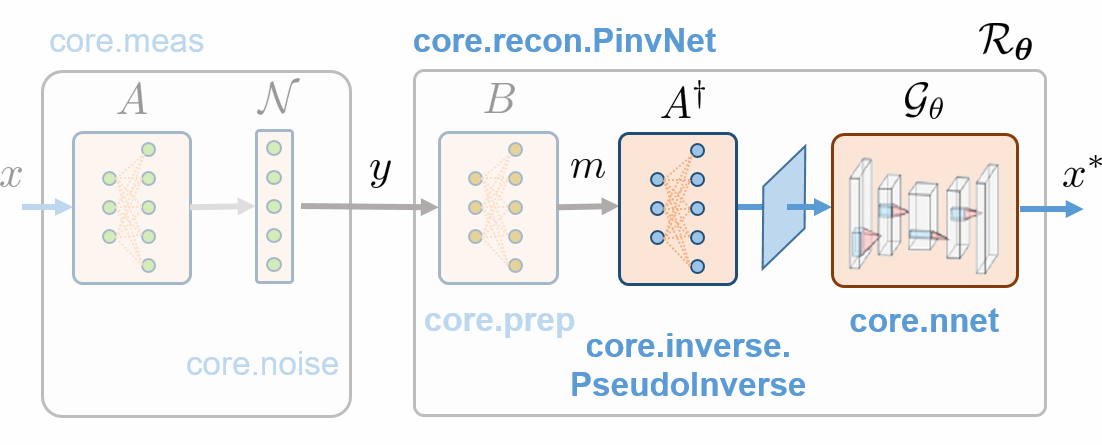
This tutorial shows how to simulate measurements and perform image reconstruction using the spyrit.core.recon.PinvNet class of the spyrit.core.recon submodule.
Load a batch of images
We load a batch of images from the /images/ folder. Using the
spyrit.misc.statistics.transform_gray_norm() function with the normalize=False
argument returns images with values in (0,1).
import os
import torchvision
import torch.nn
from spyrit.misc.statistics import transform_gray_norm

spyritPath = os.getcwd()
imgs_path = os.path.join(spyritPath, "images/")

# Grayscale images of size 64 x 64, no normalization to keep values in (0,1)
transform = transform_gray_norm(img_size=64, normalize=False)

# Create dataset and loader (expects class folder 'images/test/')
dataset = torchvision.datasets.ImageFolder(root=imgs_path, transform=transform)
dataloader = torch.utils.data.DataLoader(dataset, batch_size=7)

x, _ = next(iter(dataloader))
print(f"Ground-truth images: {x.shape}")
Ground-truth images: torch.Size([7, 1, 64, 64])
We plot the second image in the batch
![x[1, 0, :, :]](../_images/sphx_glr_tuto_04_pseudoinverse_cnn_linear_001.png)
/home/docs/checkouts/readthedocs.org/user_builds/spyrit/envs/3.1.1/lib/python3.11/site-packages/matplotlib/cbook.py:684: DeprecationWarning: __array__ implementation doesn't accept a copy keyword, so passing copy=False failed. __array__ must implement 'dtype' and 'copy' keyword arguments. To learn more, see the migration guide https://numpy.org/devdocs/numpy_2_0_migration_guide.html#adapting-to-changes-in-the-copy-keyword
  x = np.array(x, subok=True, copy=copy)
Linear measurements (no noise)
We choose the acquisition matrix as the positive component of a Hadamard matrix in “2D”. This is a (0,1) matrix with shape of (64*64, 64*64).
from spyrit.core.torch import walsh_matrix_2d

H = walsh_matrix_2d(64)
H = torch.where(H > 0, 1.0, 0.0)

print(f"Acquisition matrix: {H.shape}", end=" ")
print(rf"with values in {{{H.min()}, {H.max()}}}")
Acquisition matrix: torch.Size([4096, 4096]) with values in {0.0, 1.0}
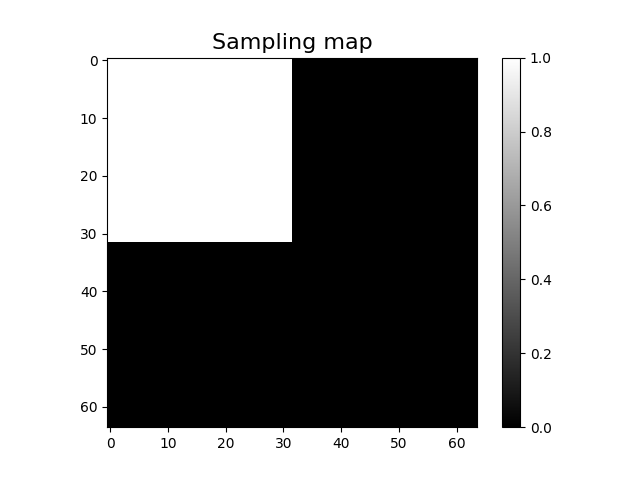
We subsample the measurement operator by a factor four, keeping only the low-frequency components
Sampling_square = torch.zeros(64, 64)
Sampling_square[:32, :32] = 1

imagesc(Sampling_square, "Sampling map")
/home/docs/checkouts/readthedocs.org/user_builds/spyrit/envs/3.1.1/lib/python3.11/site-packages/matplotlib/cbook.py:684: DeprecationWarning: __array__ implementation doesn't accept a copy keyword, so passing copy=False failed. __array__ must implement 'dtype' and 'copy' keyword arguments. To learn more, see the migration guide https://numpy.org/devdocs/numpy_2_0_migration_guide.html#adapting-to-changes-in-the-copy-keyword
  x = np.array(x, subok=True, copy=copy)
We use spyrit.core.torch.sort_by_significance() to permutate the rows of H. Then, we keep the first 1024 rows.
from spyrit.core.torch import sort_by_significance

H = sort_by_significance(H, Sampling_square, "rows", False)
H = H[: 32 * 32, :]

print(f"Shape of the measurement matrix: {H.shape}")
Shape of the measurement matrix: torch.Size([1024, 4096])
We instantiate a spyrit.core.meas.Linear operator. To indicate that
the operator works in 2D, on images with shape (64, 64), we use the
meas_shape argument.
We simulate the measurement vectors, which has a shape of (7, 1, 1024).
y = meas_op(x)

print(f"Measurement vectors: {y.shape}")
Measurement vectors: torch.Size([7, 1, 1024])
To display the subsampled measurement vector as an image in the transformed
domain, we use the spyrit.core.torch.meas2img() function
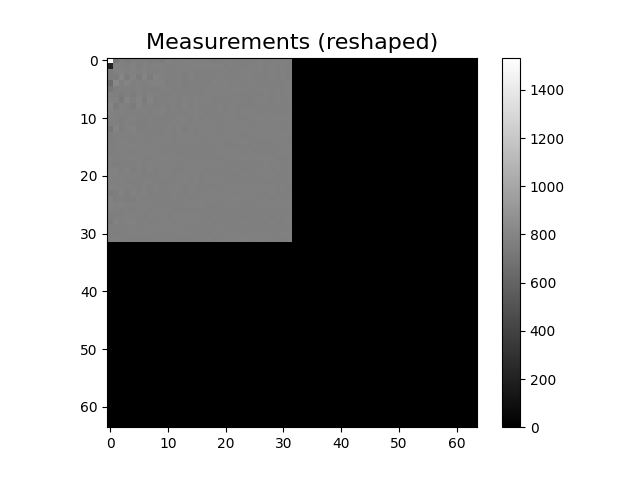
Shape of the preprocessed measurement image: torch.Size([7, 1, 64, 64])
/home/docs/checkouts/readthedocs.org/user_builds/spyrit/envs/3.1.1/lib/python3.11/site-packages/matplotlib/cbook.py:684: DeprecationWarning: __array__ implementation doesn't accept a copy keyword, so passing copy=False failed. __array__ must implement 'dtype' and 'copy' keyword arguments. To learn more, see the migration guide https://numpy.org/devdocs/numpy_2_0_migration_guide.html#adapting-to-changes-in-the-copy-keyword
  x = np.array(x, subok=True, copy=copy)
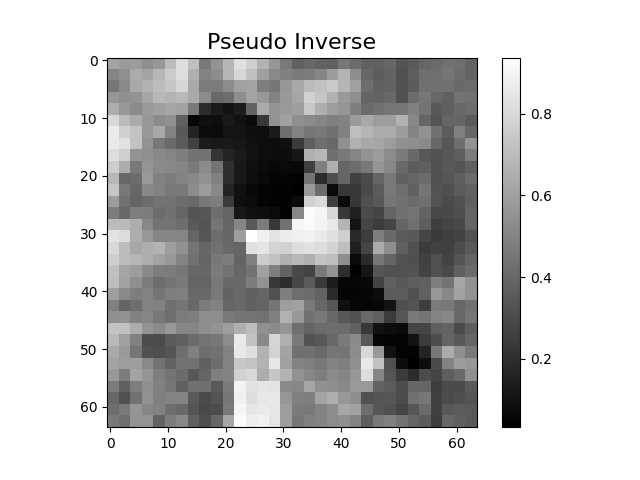
Pseudo inverse solution with PinvNet
The spyrit.core.recon.PinvNet class reconstructs an
image by computing the pseudoinverse solution. By default, the
torch.linalg.lstsq solver is used
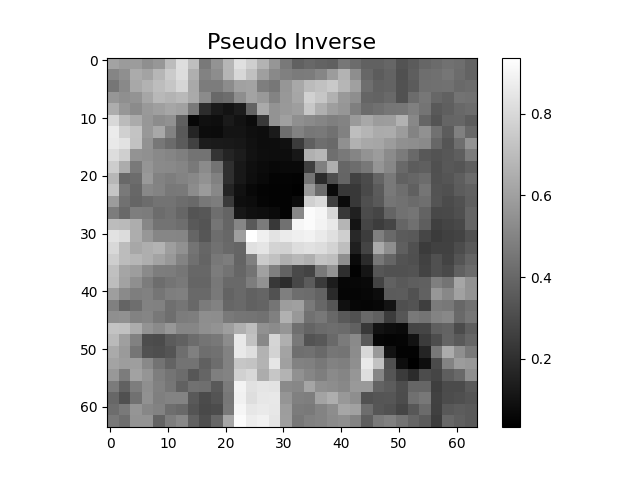
We use the reconstruct() method to
reconstruct the images from the measurement vectors y
x_rec = pinv_net.reconstruct(y)

imagesc(x_rec[1, 0, :, :], "Pseudo Inverse")
/home/docs/checkouts/readthedocs.org/user_builds/spyrit/envs/3.1.1/lib/python3.11/site-packages/matplotlib/cbook.py:684: DeprecationWarning: __array__ implementation doesn't accept a copy keyword, so passing copy=False failed. __array__ must implement 'dtype' and 'copy' keyword arguments. To learn more, see the migration guide https://numpy.org/devdocs/numpy_2_0_migration_guide.html#adapting-to-changes-in-the-copy-keyword
  x = np.array(x, subok=True, copy=copy)
Alternatively, the pseudo-inverse of the acquition matrix is computed and stored. This option becomes efficient when a large number of reconstructions are performed (e.g., during training). To do so, we used set ‘store_H_pinv’ to ‘True’.
pinv_net_2 = PinvNet(meas_op, store_H_pinv=True)
x_rec_2 = pinv_net.reconstruct(y)

imagesc(x_rec_2[1, 0, :, :], "Pseudo Inverse")
/home/docs/checkouts/readthedocs.org/user_builds/spyrit/envs/3.1.1/lib/python3.11/site-packages/matplotlib/cbook.py:684: DeprecationWarning: __array__ implementation doesn't accept a copy keyword, so passing copy=False failed. __array__ must implement 'dtype' and 'copy' keyword arguments. To learn more, see the migration guide https://numpy.org/devdocs/numpy_2_0_migration_guide.html#adapting-to-changes-in-the-copy-keyword
  x = np.array(x, subok=True, copy=copy)
Contrary to pinv_net, pinv_net_2 stores the pseudo inverse matrix with shape (4096,1024)
print(f"pinv_net: {hasattr(pinv_net.pinv, 'pinv')}")
print(f"pinv_net_2: {hasattr(pinv_net_2.pinv, 'pinv')}")
print(f"Shape: {pinv_net_2.pinv.pinv.shape}")
pinv_net: False
pinv_net_2: True
Shape: torch.Size([4096, 1024])
CNN post processing with PinvNet
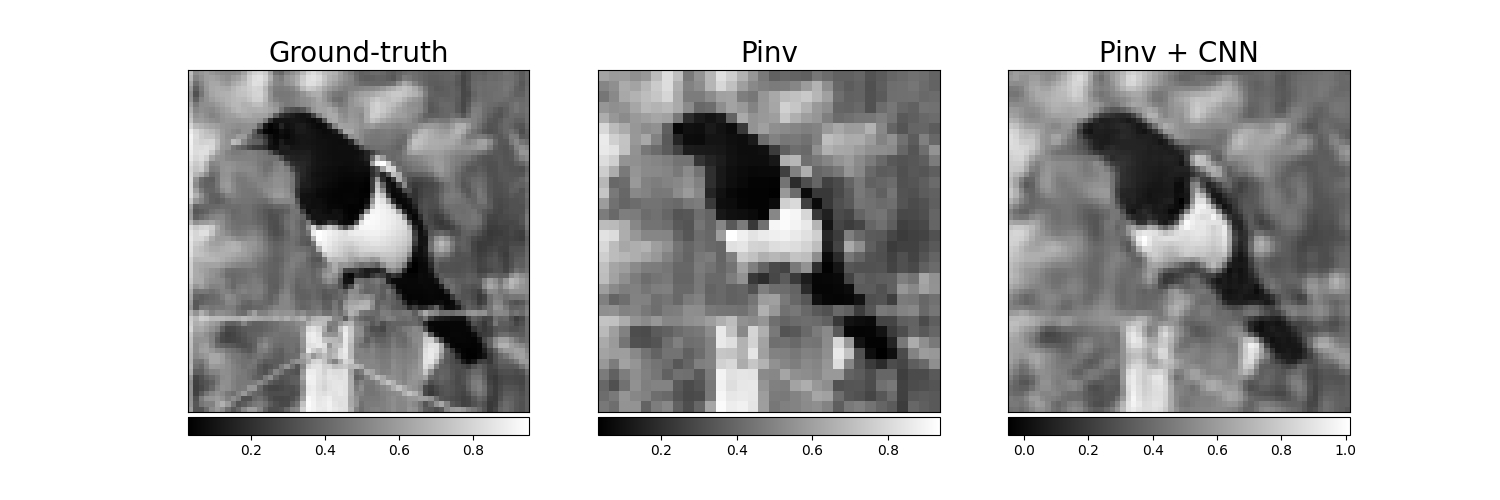
Reconstruction artefacts can be removed by post processing the pseudo inverse
solution using a denoising neural network.
In the following, we select a
small CNN using the spyrit.core.nnet.ConvNet class, but it can be
replaced by any other neural network (e.g., a UNet
from spyrit.core.nnet.Unet).
We download a ConvNet that has been trained using STL-10 dataset.
from spyrit.misc.load_data import download_girder

url = "https://tomoradio-warehouse.creatis.insa-lyon.fr/api/v1"
dataID = "68639a2af39e1d2884b09abf"  # unique ID of the file
model_folder = "./model/"

model_cnn_path = download_girder(url, dataID, model_folder)
Local folder not found, creating it... done.
Downloading tuto_4b.pth...
Downloading tuto_4b.pth... done.
The CNN should be placed in an ordered dictionary and passed to a
nn.Sequential.
We load the denoiser and send it to GPU, if available.
Model Loaded: /home/docs/checkouts/readthedocs.org/user_builds/spyrit/checkouts/3.1.1/tutorial/model/tuto_4b.pth
We create a PinvNet with a postprocessing denoising step
We reconstruct the image using PinvNet
pinv_net.eval()
y = y.to(device)

with torch.no_grad():
    x_rec_cnn = pinv_net.reconstruct(y)
We finally plot the results
import matplotlib.pyplot as plt
from spyrit.misc.disp import add_colorbar, noaxis

f, (ax1, ax2, ax3) = plt.subplots(1, 3, figsize=(15, 5))

im1 = ax1.imshow(x[1, 0, :, :], cmap="gray")
ax1.set_title("Ground-truth", fontsize=20)
noaxis(ax1)
add_colorbar(im1, "bottom", size="20%")

im2 = ax2.imshow(x_rec[1, 0, :, :].cpu(), cmap="gray")
ax2.set_title("Pinv", fontsize=20)
noaxis(ax2)
add_colorbar(im2, "bottom", size="20%")

im3 = ax3.imshow(x_rec_cnn.cpu()[1, 0, :, :], cmap="gray")
ax3.set_title("Pinv + CNN", fontsize=20)
noaxis(ax3)
add_colorbar(im3, "bottom", size="20%")

plt.show()
/home/docs/checkouts/readthedocs.org/user_builds/spyrit/envs/3.1.1/lib/python3.11/site-packages/matplotlib/cbook.py:684: DeprecationWarning: __array__ implementation doesn't accept a copy keyword, so passing copy=False failed. __array__ must implement 'dtype' and 'copy' keyword arguments. To learn more, see the migration guide https://numpy.org/devdocs/numpy_2_0_migration_guide.html#adapting-to-changes-in-the-copy-keyword
  x = np.array(x, subok=True, copy=copy)
/home/docs/checkouts/readthedocs.org/user_builds/spyrit/envs/3.1.1/lib/python3.11/site-packages/matplotlib/cbook.py:684: DeprecationWarning: __array__ implementation doesn't accept a copy keyword, so passing copy=False failed. __array__ must implement 'dtype' and 'copy' keyword arguments. To learn more, see the migration guide https://numpy.org/devdocs/numpy_2_0_migration_guide.html#adapting-to-changes-in-the-copy-keyword
  x = np.array(x, subok=True, copy=copy)
/home/docs/checkouts/readthedocs.org/user_builds/spyrit/envs/3.1.1/lib/python3.11/site-packages/matplotlib/cbook.py:684: DeprecationWarning: __array__ implementation doesn't accept a copy keyword, so passing copy=False failed. __array__ must implement 'dtype' and 'copy' keyword arguments. To learn more, see the migration guide https://numpy.org/devdocs/numpy_2_0_migration_guide.html#adapting-to-changes-in-the-copy-keyword
  x = np.array(x, subok=True, copy=copy)
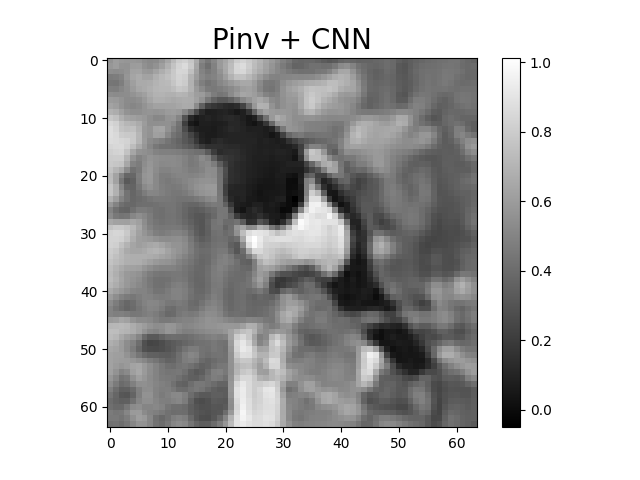
We show the best result again (tutorial thumbnail purpose) sphinx_gallery_thumbnail_number = 7
imagesc(x_rec_cnn.cpu()[1, 0, :, :], "Pinv + CNN", title_fontsize=20)
/home/docs/checkouts/readthedocs.org/user_builds/spyrit/envs/3.1.1/lib/python3.11/site-packages/matplotlib/cbook.py:684: DeprecationWarning: __array__ implementation doesn't accept a copy keyword, so passing copy=False failed. __array__ must implement 'dtype' and 'copy' keyword arguments. To learn more, see the migration guide https://numpy.org/devdocs/numpy_2_0_migration_guide.html#adapting-to-changes-in-the-copy-keyword
  x = np.array(x, subok=True, copy=copy)
Note
In the next tutorial, we will show how to train PinvNet + CNN denoiser.
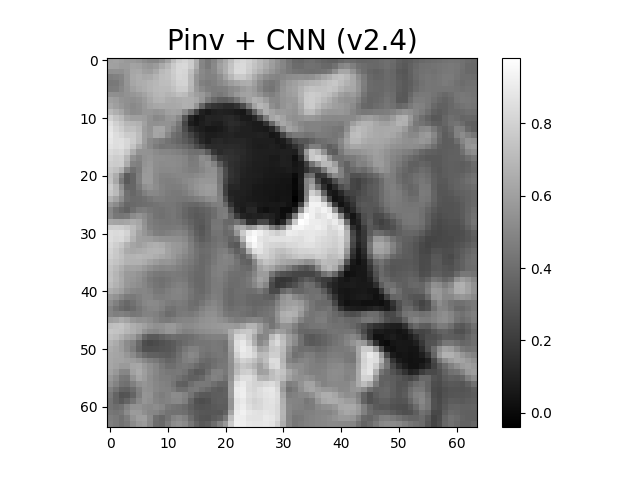
Compatibility between spyrit 2 and spyrit 3
SPyRiT 2.4 trains neural networks for images with values in the
range (-1,1), while SPyRiT 3 assumes images with values in the range (0,1).
This can be compensated for using spyrit.core.prep.Rerange.
We load a spyrit 2.4 denoiser and show the reconstruction
dataID = "67221889f03a54733161e963"  # unique ID of the file
model_cnn_path = download_girder(url, dataID, model_folder)
load_net(model_cnn_path, denoiser, device, False)

pinv_net = PinvNet(meas_op, denoi=denoiser, device=device)

with torch.no_grad():
    x_rec_cnn = pinv_net.reconstruct(y)

imagesc(x_rec_cnn.cpu()[1, 0, :, :], "Pinv + CNN (v2.4)", title_fontsize=20)
Downloading tuto3_pinv-net_cnn_stl10_N0_1_N_64_M_1024_epo_30_lr_0.001_sss_10_sdr_0.5_bs_512_reg_1e-07_light.pth...
Downloading tuto3_pinv-net_cnn_stl10_N0_1_N_64_M_1024_epo_30_lr_0.001_sss_10_sdr_0.5_bs_512_reg_1e-07_light.pth... done.
Model Loaded: /home/docs/checkouts/readthedocs.org/user_builds/spyrit/checkouts/3.1.1/tutorial/model/tuto3_pinv-net_cnn_stl10_N0_1_N_64_M_1024_epo_30_lr_0.001_sss_10_sdr_0.5_bs_512_reg_1e-07_light.pth
/home/docs/checkouts/readthedocs.org/user_builds/spyrit/envs/3.1.1/lib/python3.11/site-packages/matplotlib/cbook.py:684: DeprecationWarning: __array__ implementation doesn't accept a copy keyword, so passing copy=False failed. __array__ must implement 'dtype' and 'copy' keyword arguments. To learn more, see the migration guide https://numpy.org/devdocs/numpy_2_0_migration_guide.html#adapting-to-changes-in-the-copy-keyword
  x = np.array(x, subok=True, copy=copy)
Total running time of the script: (0 minutes 12.960 seconds)